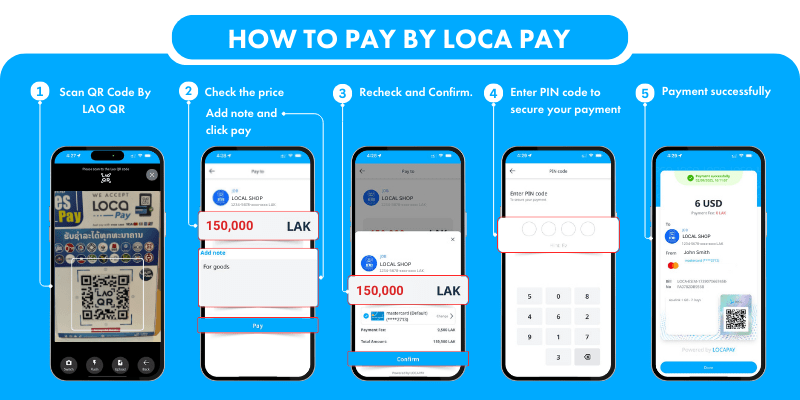
Loca is pleased to announce the launch of a new, streamlined KYC (Know Your Customer) process for Loca Pay within the Loca App. This important step ensures safer, faster, and more reliable digital payments for all passengers.
By completing KYC, users can securely link their bank cards, enjoy seamless in-app transactions, and experience a higher level of trust when using LocaPay.
Why KYC Matters
KYC is a quick verification process that protects both passengers and drivers by ensuring that payment details are secure and validated. With this update, Loca continues its mission to build a safe and transparent digital ecosystem for transportation in Laos.
How to Complete KYC in the Loca App
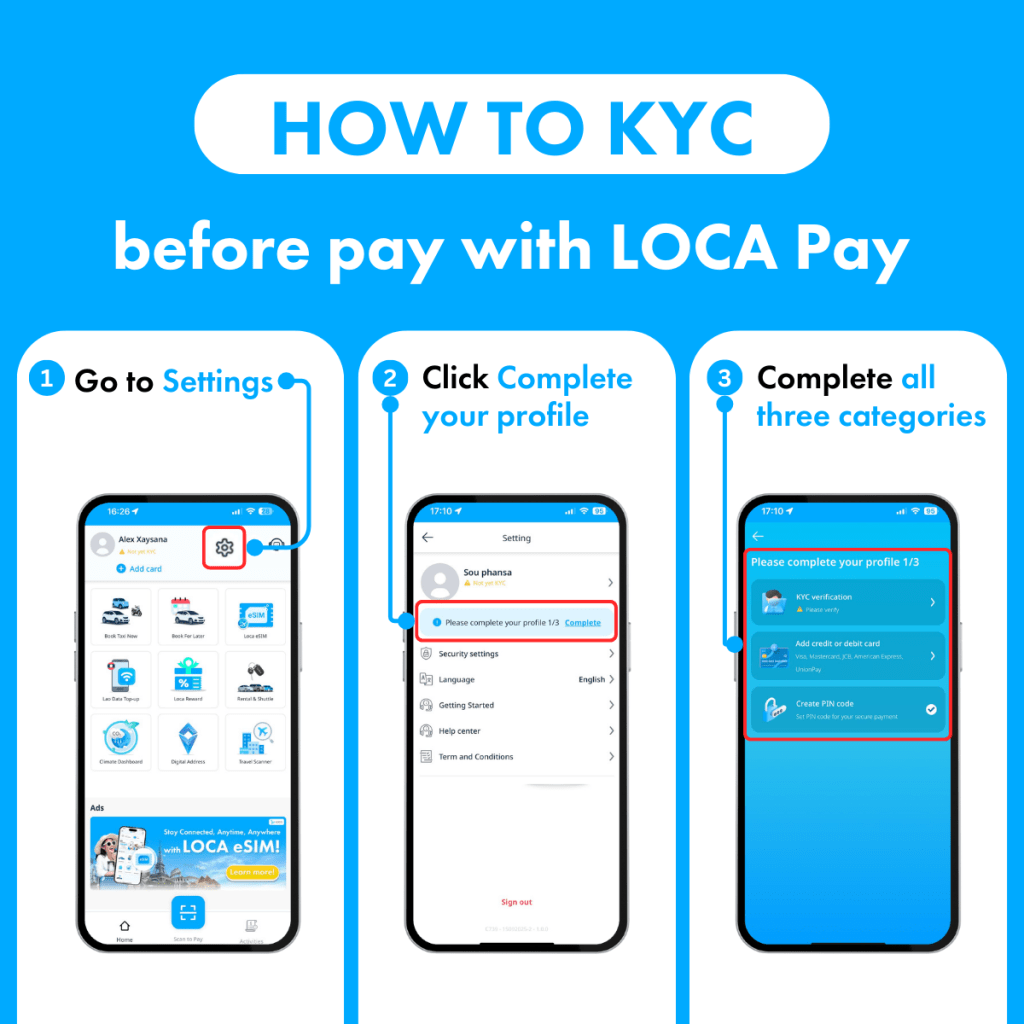
- Open the LOCA App, then go to the settings.
- Click on Complete your profile.
- There are three categories: KYC verification, Add Card, and Create PIN Code.
- After completing all three categories. You can scan to pay the LAO QR anywhere at any time.
Once submitted, your card will be verified, and your Loca Pay will be ready for secure payments.
How to pay by LOCA Pay
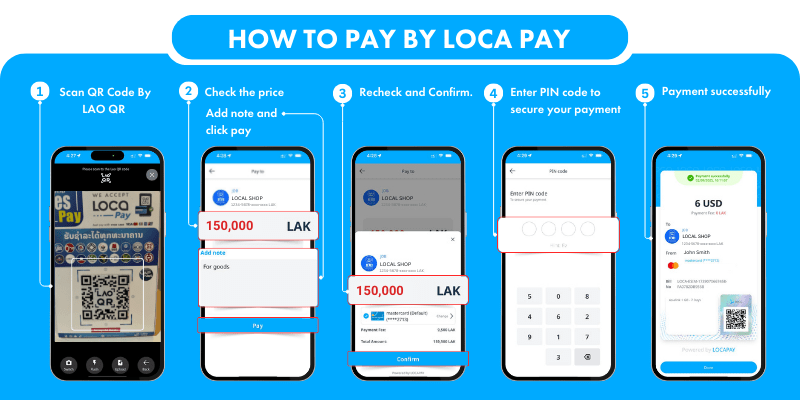
- Scan QR Code by LAO QR: Open the Loca App, select Scan to Pay, and scan the LAO QR code provided by the merchant.
- Check the Price: Review the total amount, add a note if necessary, and click Pay.
- Recheck and Confirm: Double-check the payment details, including merchant name and total amount, then tap Confirm.
- Enter PIN Code: Enter your secure PIN code to verify the payment.
- Payment Successful: Once confirmed, you’ll see a receipt on your screen showing payment success.
About Loca
Loca is the leading ride-hailing platform in Laos, offering safe, reliable, and affordable transportation. With innovative services like Loca Pay, Loca is building a smarter mobility ecosystem for passengers and drivers across the country.